
Turn off Autoplay on Apple TV
Recommended by jmd

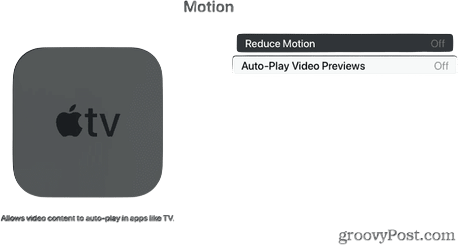
Auto-playing video is the worst. I don't want to watch the preview. I don't want to start the next video automatically. I don't want anything whatsoever to just start moving or talking or blaring music on its own, ever, period.
This switch in Settings > Accessibility > Motion (which for sure should not be buried there, come on) will stop auto-playing previews in the Apple TV app, and then this article has you covered on how to shut it off in other apps on an Apple TV box.
6 days ago
Comments
Loading comments...


Follow jmd
By submitting, you agree to our Terms and Privacy Policy